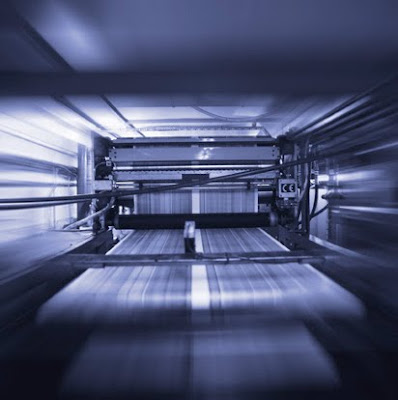
Originally flexographic printing was called aniline printing and was considered rudimentary at best to the majority of the printing world. Labels that required a higher quality print job have generally used the offset printing process. However, in recent years, great strides and advancements have been made in the field of flexographic printing presses, flexographic printing plates and even the inks used in the process. However, the greatest advancement in flexographic printing has, without a doubt, been in the improvement of photopolymer printing plates and laser-etched ceramic anilox rolls. These breakthroughs have not only allow for full color picture printing, but finer etched presses as well. In the hands of a skilled operator, flexographic printing can rival that of a lithographic printing process.
Flexographic Printing OverviewFlexographic printing is frequently used for printing on plastic, metalic films, foil, cardboard, acetate film, brown paper, white paper, and several other materials commonly used in packaging. The flexo printing process itself is similar to rotary printing in that it employs the same basic principles. In general terms, flexo printing utilizes a flexographic plate commonly made out of rubber or plastic with a raised image or text that is attached to a roller. A second roller applies a specific amount of ink while a third roller keeps the substrate (the material to be printed on) pressed firmly against the flexographic plate while it passes between the two.
PlatemakingThere are a varying number of methods which can be used to create the printing plates used in flexography. The first method of plate development uses a light-sensitive polymer in conjunction with a light negating film placed over the polymer. Both are then exposed to ultra-violet light and the polymer hardens where the light passes through creating the imprint on the plate. This process is not very popular as the remaining polymer does not harden but instead has the consistency of chewed bubble gum. The plate will then need to be washed away in a tank of solvent while brushes scrub the plate to help facilitate the process.
The second and simplest method uses a computer guided laser to burn the image onto a printing plate. This direct laser engraving process is simply called digital platemaking. The third and rather more complex method is to go through a series of molding processes. The first step of the molding process is to create a metal plate out of the negative of the image or text we wish to print. This metal plate is placed in an acid bath and then used in a second step to create a mold out of bakelite board, glass, or even plastic. Once this second mold has cooled it will be considered a master mold and will be used to press a rubber or plastic compound to create the final printing plate.
PrintingAs mentioned above, a flexographic print is made by creating a mirrored 3D master of the required image in a rubber or polymer material. This 3D image is then put onto what is called the anilox roll which holds a specific amount of ink since it is covered with thousands of small dimples. This anilox roll will feed the printing plate ink in a uniform and controlled thickness. The ink itself is transferred from the ink roll which has been partially submerged in an ink tank. A substrate is then compressed between the plate and the impression cylinder and the printing job takes place. In order to avoid a final product with a smudgy or bumpy texture, there needs to be insurance that there will never be an excessive amount of ink on the printing plate. To achieve this a scraper is used called a doctor blade. The blade simply scrapes any excess ink from the anilox roller before it can ever be applied to the printing plate.
Flexographic InksCurrently there are five types of inks that can be used in flexography. Solvent-based inks, water-based inks, electron beam curing inks, ultraviolet curing inks, and two-part chemical-curing inks. Formulation of these inks requires a detailed knowledge of the physical and chemical properties of the raw materials composing the inks which I won't go into. The most important factors when determining which ink to use is how the ink will react with the substrate as well as the environment. Flexographic printing inks are primarily formulated to remain compatible with a wide variety of printing substrates.
In recent years, flexo printing has been steadily improving in number of users, quality, and price. Flexographic printing is preferred over other methods as the ink dries quickly which allows for the machine to run at high speeds and the final product has a smooth finish with crisp detail. Water based inks in flexo printing has also increased in popularity due to the reduced emissions of volatile compounds which benefits the environment and the overall health of everyone in the printing industry. If these trends continue, one day flexographic printing may ultimately replace more expensive printing processes.


 Despite making a product or providing a service deemed useful by the owner or president, a company's main goal is to make profit. Let's be honest, aside from strictly non-profit organizations, all companies do what they do to make money. And why shouldn't they? I mean, money provides a roof over your head, clothes on your back and food on your table, to say the least, so it is in no way surprising to see companies trying the "crazy" idea of making a profit.